
Download Virtual Drive Manager – Virtual Disk Drives, File Organization, Productivity Tool
Overview
Virtual Drive Manager is a lightweight utility designed to enhance file navigation and system organization by enabling users to create virtual disk drives linked to physical folders. This tool simplifies access to frequently used directories by assigning them drive letters, reducing the number of clicks required to reach important files. It is particularly beneficial for users managing large volumes of data across multiple storage locations, such as developers, content creators, and office professionals. By streamlining access paths, the app helps improve workflow efficiency and reduces time spent navigating complex file structures. The application is especially useful in environments where consistent and fast access to project folders, media libraries, or document repositories is critical. It serves as a practical solution for users seeking to optimize their digital workspace without relying on complex or resource-heavy software. Although the developer did not provide additional background information, the app’s longevity—first released in 2006—suggests a stable and reliable utility with a proven track record. Its ability to persist configurations through system restarts indicates a focus on user continuity and long-term usability. Virtual Drive Manager fills a niche in the productivity ecosystem by offering a simple, effective method for managing file access on desktop systems.Key Features & Functionality
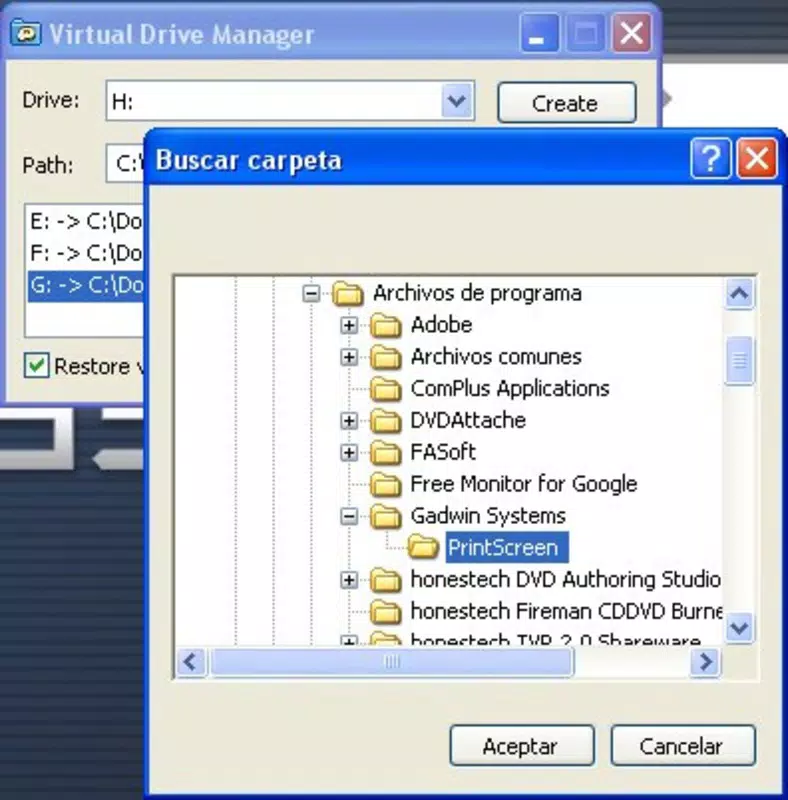
- Virtual Drive Creation: Users can quickly assign virtual drive letters to physical folders, turning complex directory paths into single-letter access points. This is ideal for frequently accessed projects, such as development environments or multimedia libraries.
- Shortened Access Paths: By replacing long file paths with simple drive letters, users significantly reduce navigation time. For example, a folder located at C:\Users\John\Documents\Projects\2024\Marketing can be accessed as M: with a single click.
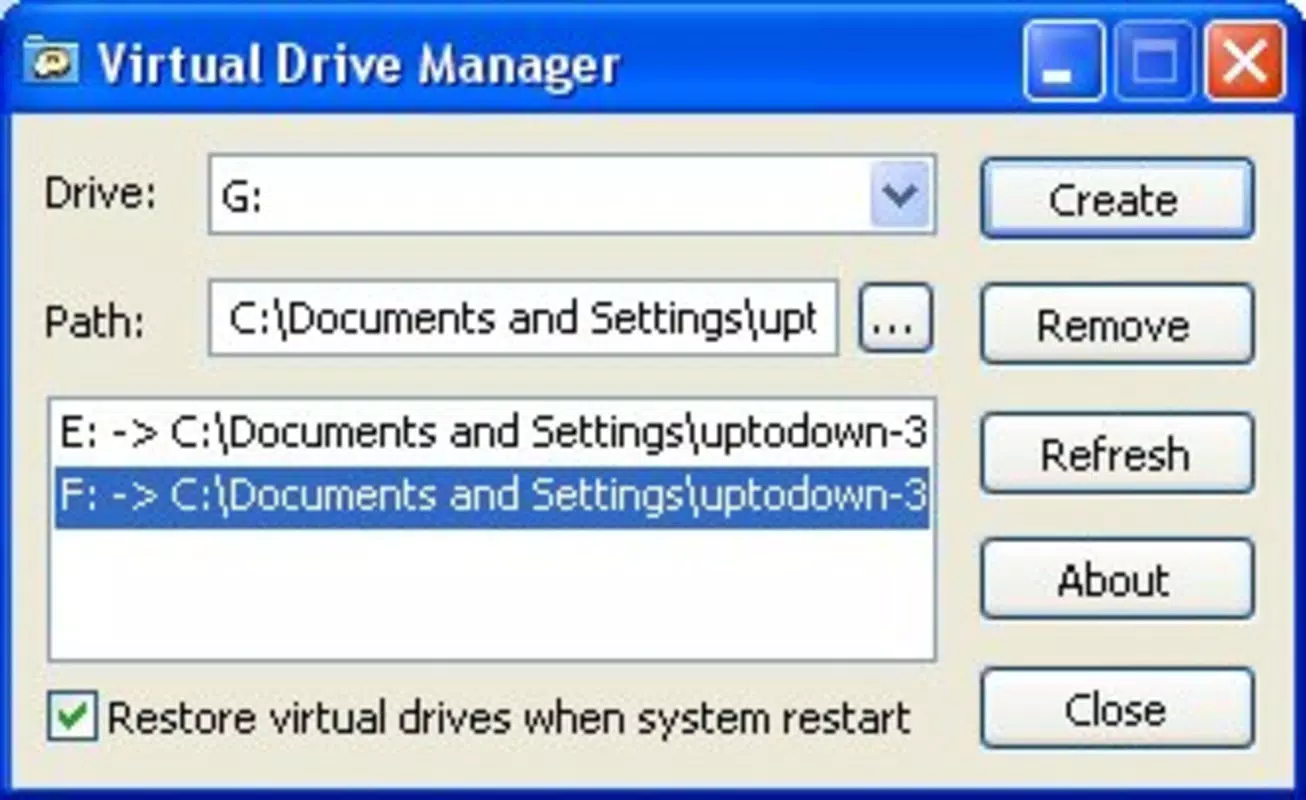
- Persistent Configuration: Created virtual drives are saved automatically and restored after each system restart. This eliminates the need to reconfigure drives manually, ensuring consistent access across sessions.
- Intuitive Interface: The app features a clean, minimal layout with straightforward controls. Users can add, edit, or remove virtual drives through a simple list interface, making it accessible to both beginners and advanced users.
Interface, UX & Performance
Virtual Drive Manager presents a clean, minimal interface that prioritizes usability over visual complexity. The main window displays a list of active virtual drives, each showing the assigned drive letter and its corresponding physical folder path. Navigation is direct and linear—users can add, edit, or remove drives with a few clicks, minimizing cognitive load. The layout is optimized for clarity, with labeled fields and consistent button placement, supporting efficient interaction. Although the developer did not list formal performance metrics, the app is described as lightweight, suggesting low memory and CPU usage. It is designed to run in the background without interfering with other applications. Responsiveness is expected to be high, given its simple function and minimal resource demands. Stability appears to be a strength, particularly considering its long-standing presence in the software ecosystem. The application does not require frequent updates, which may indicate a mature and well-tested codebase. While specific compatibility details were not provided, its lightweight nature suggests it is suitable for a wide range of desktop systems, including older hardware. Overall, the user experience is focused on reliability, speed, and ease of use.Platform Compatibility & Technical Requirements
The application is designed for desktop operating systems, though the specific platform and OS version were not disclosed. The file size is not specified, but its lightweight nature implies minimal storage requirements. The developer did not list formal performance metrics or minimum system requirements. Compatibility information was not fully disclosed, so users should verify system compatibility before installation. The app was first released on March 15, 2006, indicating a long history of use and refinement. Although no official update frequency was provided, the continued availability of the tool suggests ongoing support and stability. Users should ensure their system meets general desktop requirements for running utility software.Pros and Cons
- Simple, intuitive interface suitable for users of all experience levels
- Virtual drives persist across system restarts, ensuring consistent access
- Reduces navigation time by shortening file paths
- Lightweight with minimal system resource usage
- Effective for organizing large or frequently accessed file collections
- Platform and OS requirements not specified by the developer
- No detailed documentation or user guides were provided
- Interface is minimal and may lack advanced customization options
- Not available for mobile platforms (Android or iOS)
- Long release date suggests limited modern UI/UX updates


